Webcam (HSV)
Set up your control hub webcam using the HSV vision processor
HSV track: no Limelight, no TensorFlow, no model but rather a pure color-threshold VisionProcessor runs on the Control Hub itself and reports ball candidates.
Detects in blobs based on color thresholding rather than a pre-trained Tensorflow model like the Limelight 3A
Prerequisites:
- Webcam (Logitech recommended)
- Control Hub
- IDE code editor
- MacOS, Linux, or Windows computer
Installation
Section titled “Installation”-
Add
BallDetectorPipeline.javainTeamCode/of your FTC projectDirectoryTeamCode
Directoryjava
Directoryorg.firstinspires.ftc.teamcode
- BallDetectorPipeline.java //Add this
-
Paste in the code from here
-
Below that file in
TeamCode/, add a file calledBallBlobPipeline.java, this will act as your base program.DirectoryTeamCode
Directoryjava
Directoryorg.firstinspires.ftc.teamcode
- BallDetectorPipeline.java
- BallBlobPipeline.java //Add this
-
Paste in the code from here
-
Register a new opmode with the following code, rename
"Webcam 1"according to your webcam configuration name in the Driver Station.DirectoryTeamCode
Directoryjava
Directoryorg.firstinspires.ftc.teamcode
- BallDetectorPipeline.java
- BallBlobPipeline.java
- HiveVisionOpmode.java //Add this
import org.firstinspires.ftc.vision.VisionPortal;import org.firstinspires.ftc.robotcore.external.hardware.camera.WebcamName;import org.opencv.core.Size;BallDetectorPipeline baller = new BallDetectorPipeline();VisionPortal portal = new VisionPortal.Builder().setCamera(hardwareMap.get(WebcamName.class, "Webcam 1")).setCameraResolution(new Size(1280, 720)).addProcessor(baller).enableLiveView(true).build(); -
Add telemetry for your pipeline’s active detections within the same opmode.
BallDetectorPipeline.BallBlob red = baller.bestOf(BallDetectorPipeline.BallColor.RED);if (red != null) {telemetry.addData("red", "cx=%.2f cy=%.2f", red.cxNorm, red.cyNorm);}bestOf(...)returns null when no blob of that color passes the gates, and a BallBlob withcxNorm / cyNorm(0–1 screen-relative, centered) otherwise. Colors areBallColor.YELLOW, BallColor.RED, BallColor.BLUE. -
If your camera’s resolution is ** NOT 1920 x 1080**, follow these steps, otherwise continue to step 8.
-
Verify in 5 minutes
- Deploy your code, and run your
OpModein the driver station, opencamera streamwith the right 3 dots
- Put a pollen in the FOV of the webcam, to see an outline box around the entity
- Slide in across the FOV to see the telemetry value
cxNormmove from 0 to 1 (left to right)
- Repeat the same with the blue and red nectar.
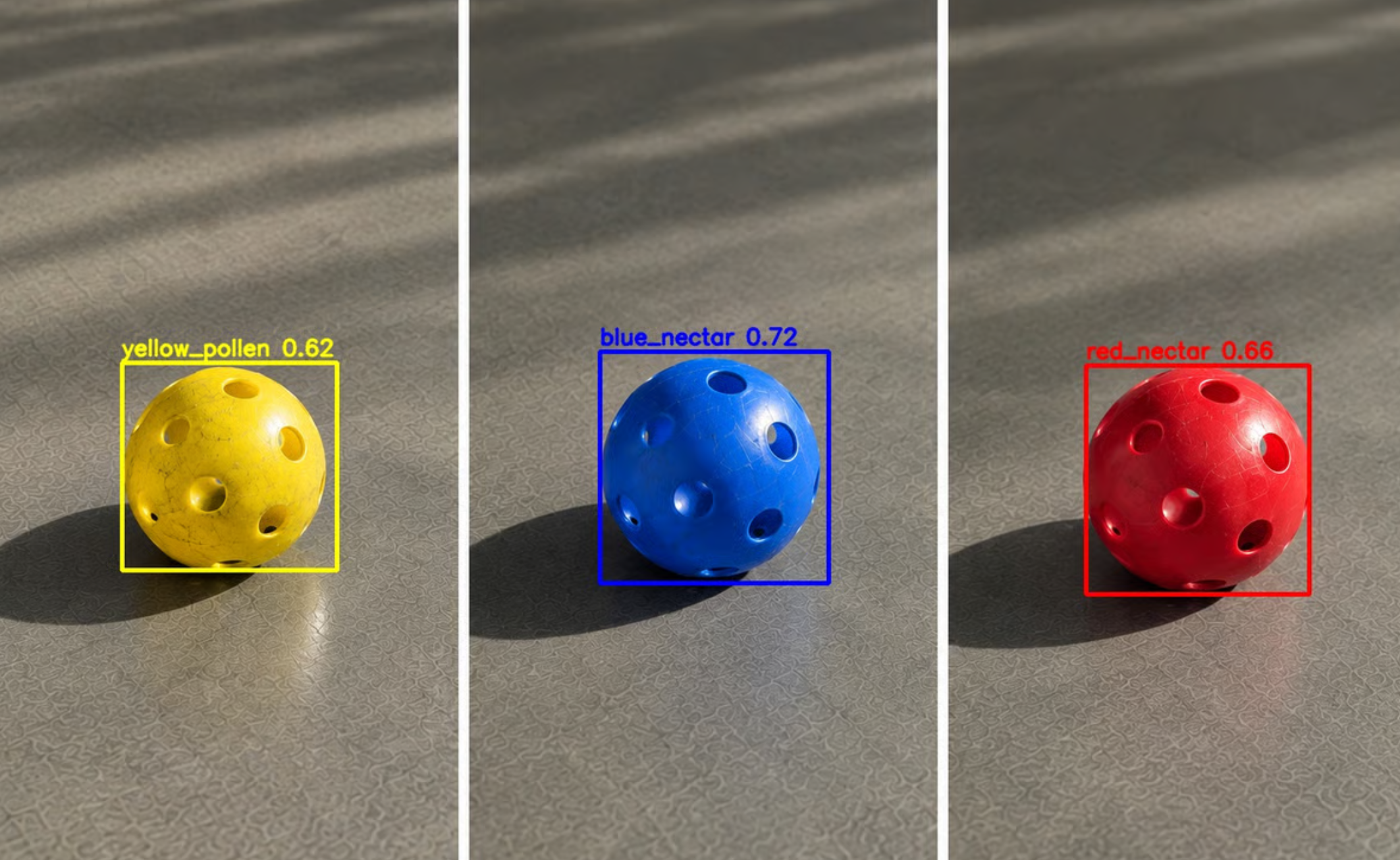
- Deploy your code, and run your
Success! Congratulations on setting up Hive Vision for your Webcam! Refer to the Usages panel, for how to apply this pipeline in FTC working code!